
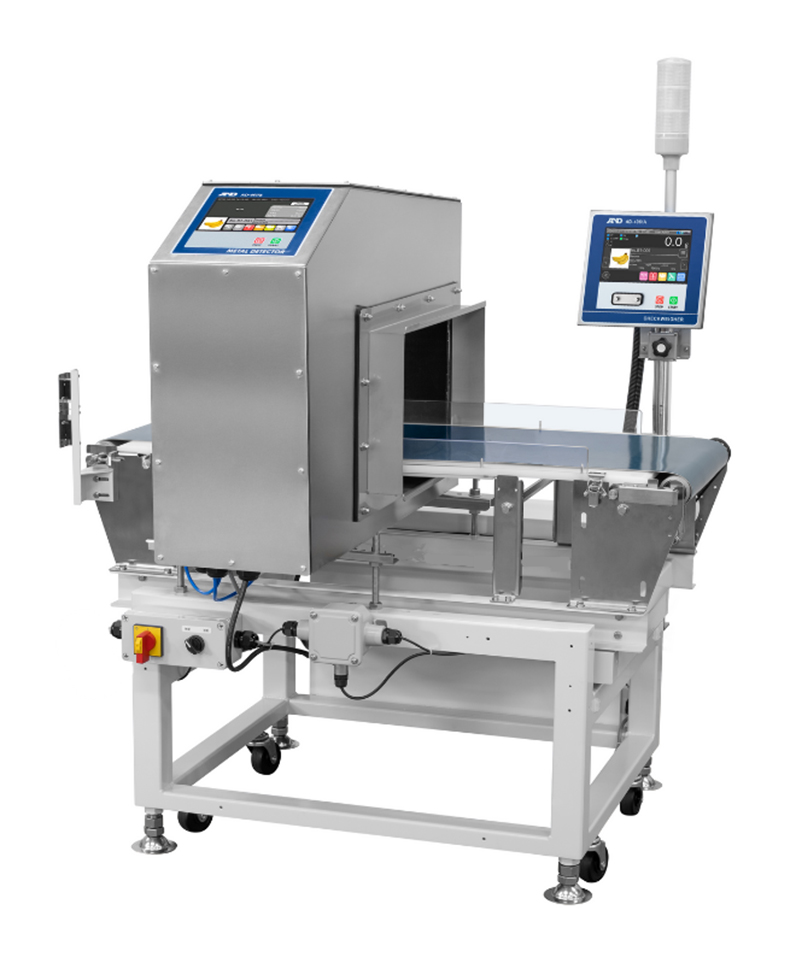
WCM-63A Series Integrated Type Metal Detector & Checkweigher (Capacity: 15 kg / Readability: 1 g)
Integrated Metal Detector and Checkweigher for Space-Efficient Dual Inspection
WCM-63A Series is an integrated type Metal Detector and Checkweigher, suitable for the inspection of heavy products.
It enables simultaneous inspection for metal contaminants and checkweighing, contributing to reduced inspection time. Additionally, it allows both inspections to be performed in a space-saving design.
Additional Links

| Model | WCM-63A-15K |
|---|---|
| Capacity | 15 kg |
| Readability | 1 g |
| Accuracy (3σ)*1 | 1.2 to 3.2 g |
| Max. throughput*1 | 40 pcs/min |
| Conveyor belt width | 350 mm |
| Conveyor belt speed | 10 / 20 / 30 / 40 m/min*2 |
| System length | 1,000 mm |
| Max. pass height*3 | 140 or 220 mm |
| Max. product length | 700 mm |
| Max. product width | 350 mm |
| Dust/waterproof performance | Equivalent to IP30 |
| Number of registrable products | 1,000 products (10 groups × 100 products) |
| Operation temperature / Humidity range | 0 to 40°C / Humidity 85% or less (with no condensation) |
| Power supply*4 | Single phase AC 100, 200 V or 220 V (+10% / -15%), 50 / 60 Hz |
*1 Depends on the shape and the condition of the product and installation environment.
*2 The belt speed is adjustable in four steps.
*3 Please specify the pass height when placing your order.
*4 Please advise the required voltage when placing your order. A&D can provide customized systems for other voltages.
- Its space‑saving design allows easy replacement of existing inspection systems without redesigning your production line.
- The applications:
- Quality inspection of rice, grains, flour, feed, and similar products
- Pre‑shipment inspection of shipper cartons, containers, and bulk bags for metal contaminants and weight
- Acceptance inspection of raw materials
- Display unit: 7” color touchscreen
- Stainless Steel Cover for display unit is available as an option. (Factory option)
- Storable product info: Up to 1,000 products (including product images)
- Data such as Summary and Operation History can be output to a USB flash drive.
- Assures consistent quality by way of the Operation History function and restricting operation according to user level
7” color touchscreen
Intuitive user interface and high visibility LCD color touchscreen with high-speed CPU enable easier operation.
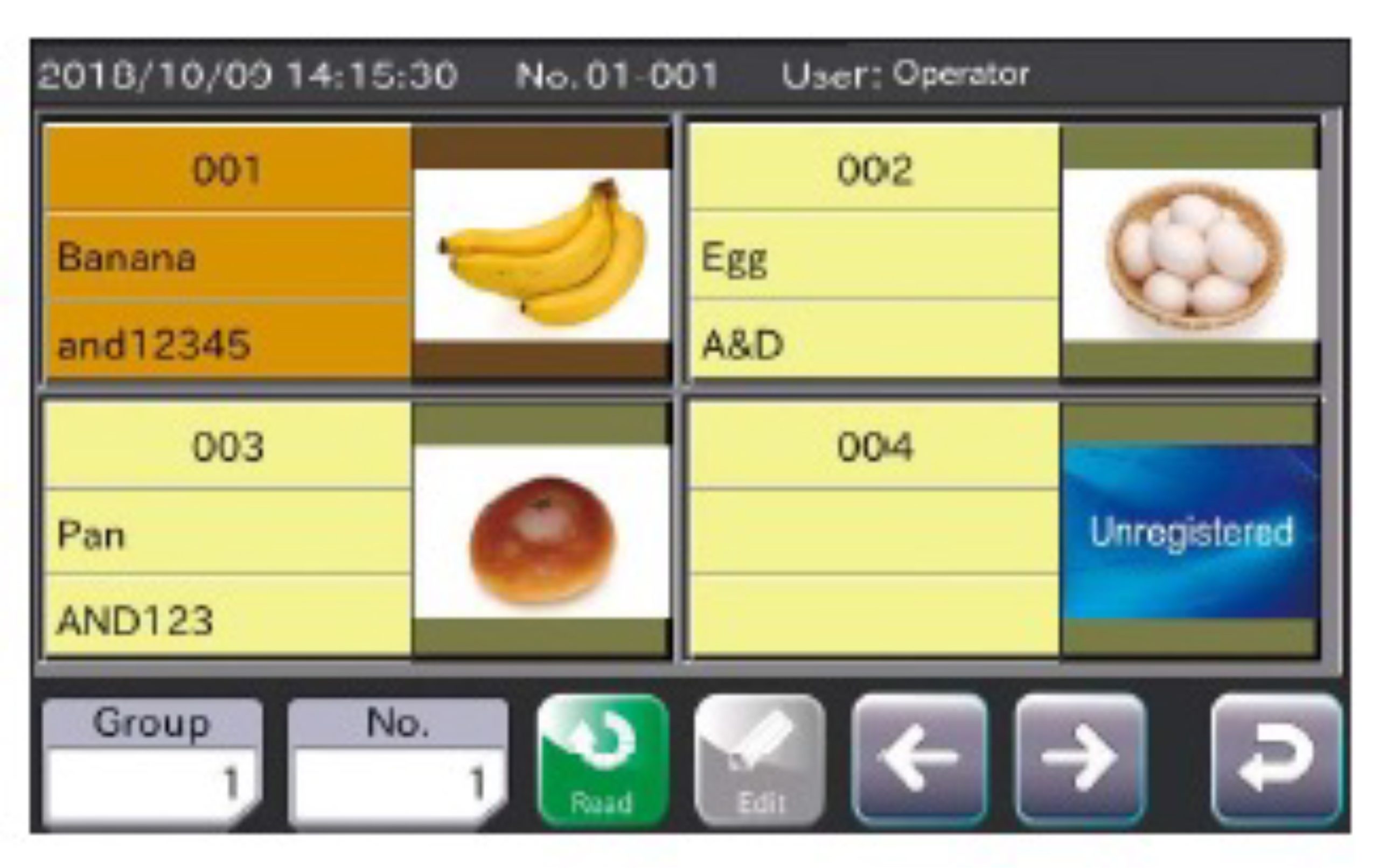
Product-selection can be interlocked between Metal Detector side and Checkweigher side.
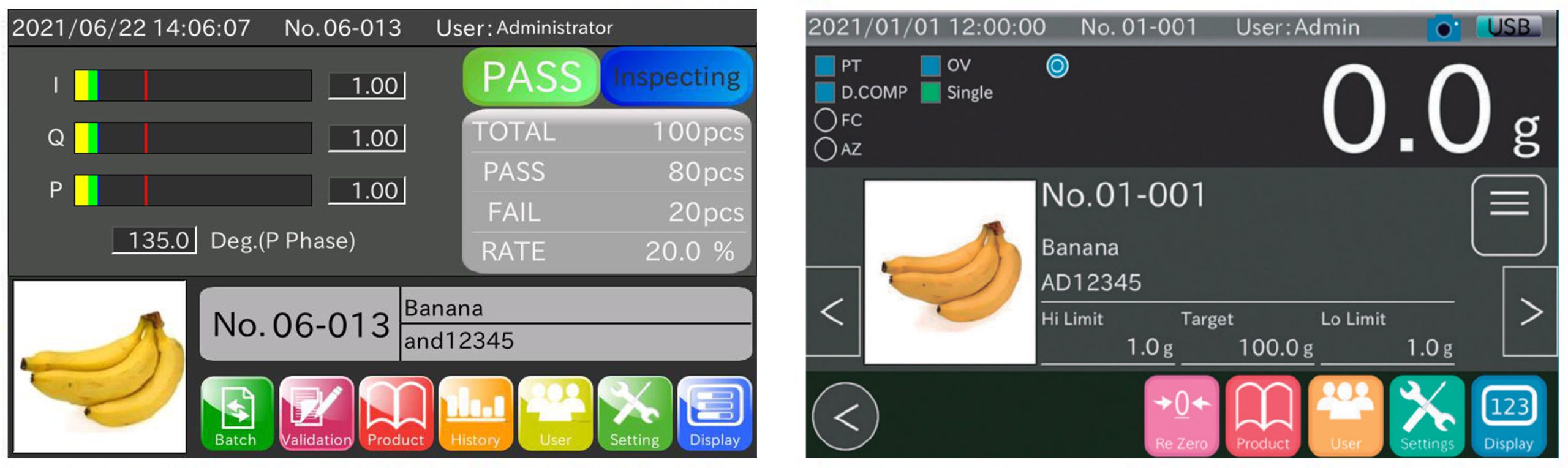
Registration using images imported from USB flash drive
Product images can be quickly uploaded to the Checkweigher and the Metal Detector from a USB flash drive. The images can be easily registered as a thumbnail image for each product.
Automatic frequency selection system
This system realizes a stable inspection and better sensitivity. The Metal Detector automatically selects the optimal frequency bands (high, medium, low) for higher detection sensitivity before the start of an inspection. This system realizes stable inspection and better detection-sensitivity.
User management
To operate the device, user name and user level are registered.
For each user registered, you can limit the operations they can perform depending on their user level.
Inadvertent operation can be avoided by assigning each user a user level from the four levels below.

Data summary
Various summary data such as histograms (frequency including defects), X-Bar Control Chart, R Control Chart, total summaries, etc., are available.
You can visually confirm fluctuation of Inspection results and adjust your manufacturing machine accordingly.
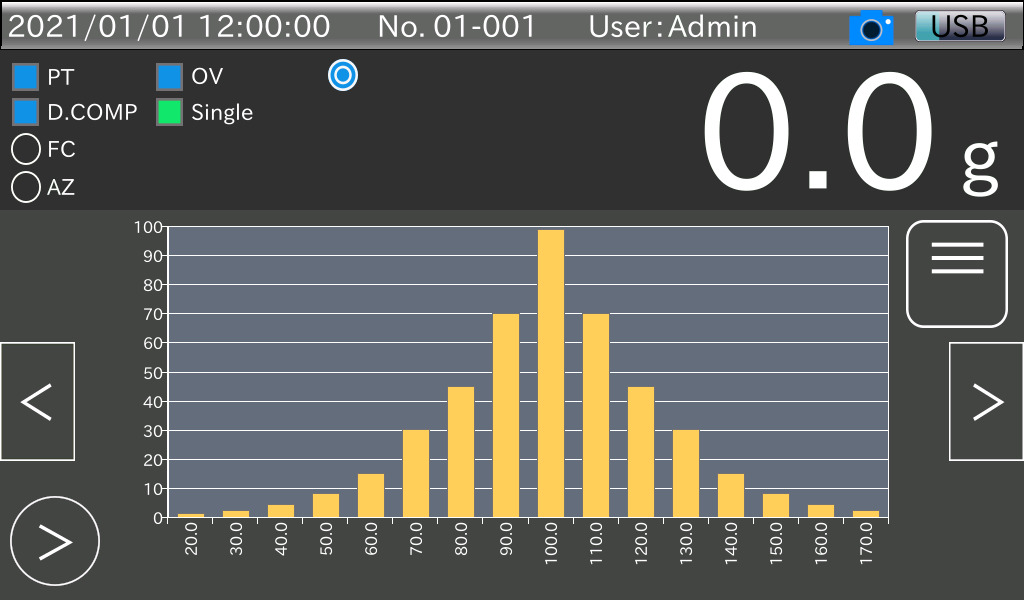 | 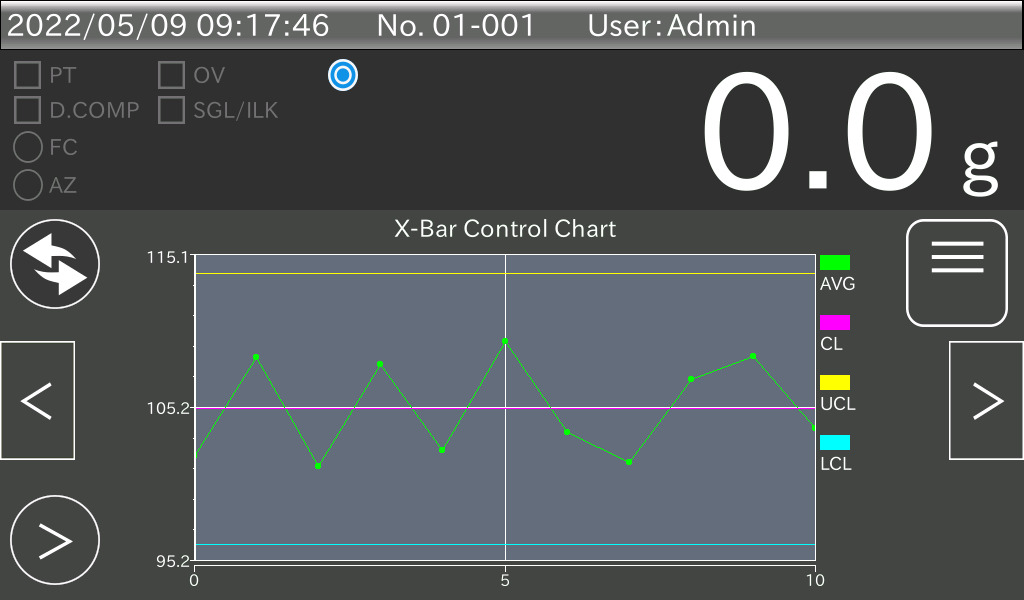 | 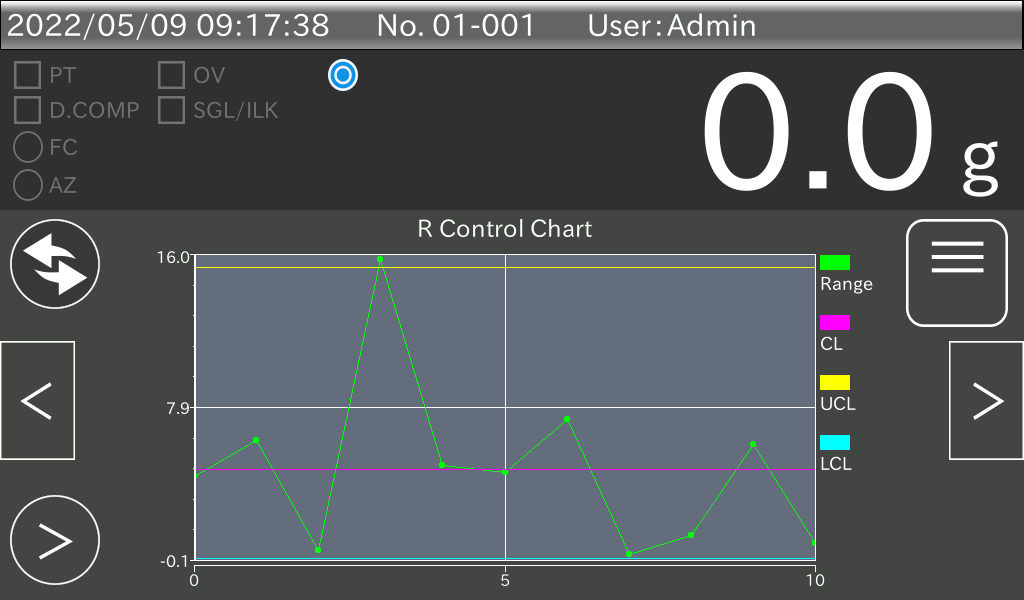 |
| Histogram display screen | X-Bar Control Chart | R Control Chart |
History function
Inspection results can be automatically recorded in a USB flash drive during inspection.
Operational History shows a record of the changes made to the settings.
The Operation History as well as inspection History can be saved onto a USB flash drive.
The history data can be utilized as a record for HACCP management.
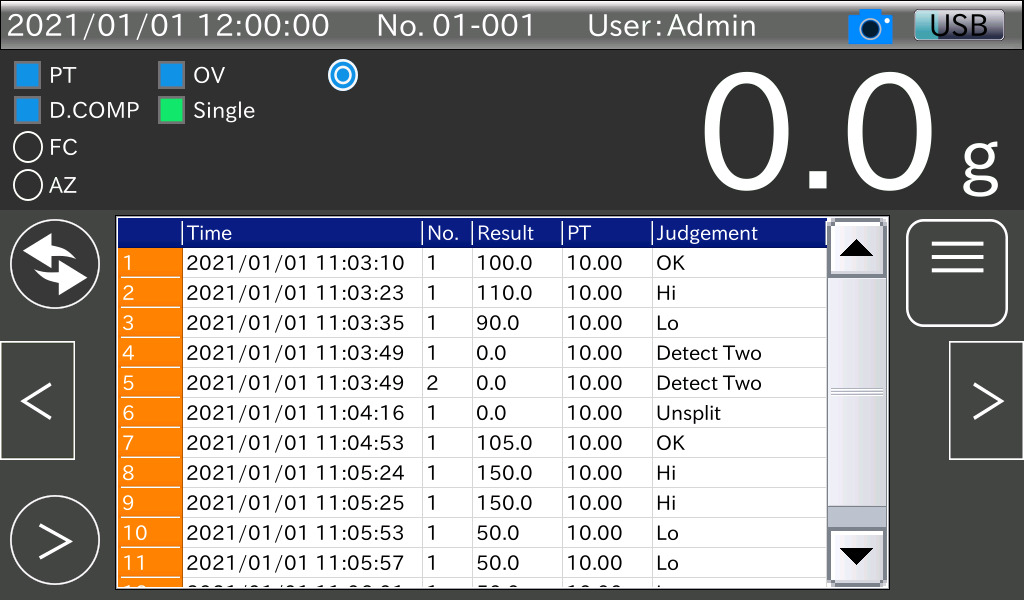 | 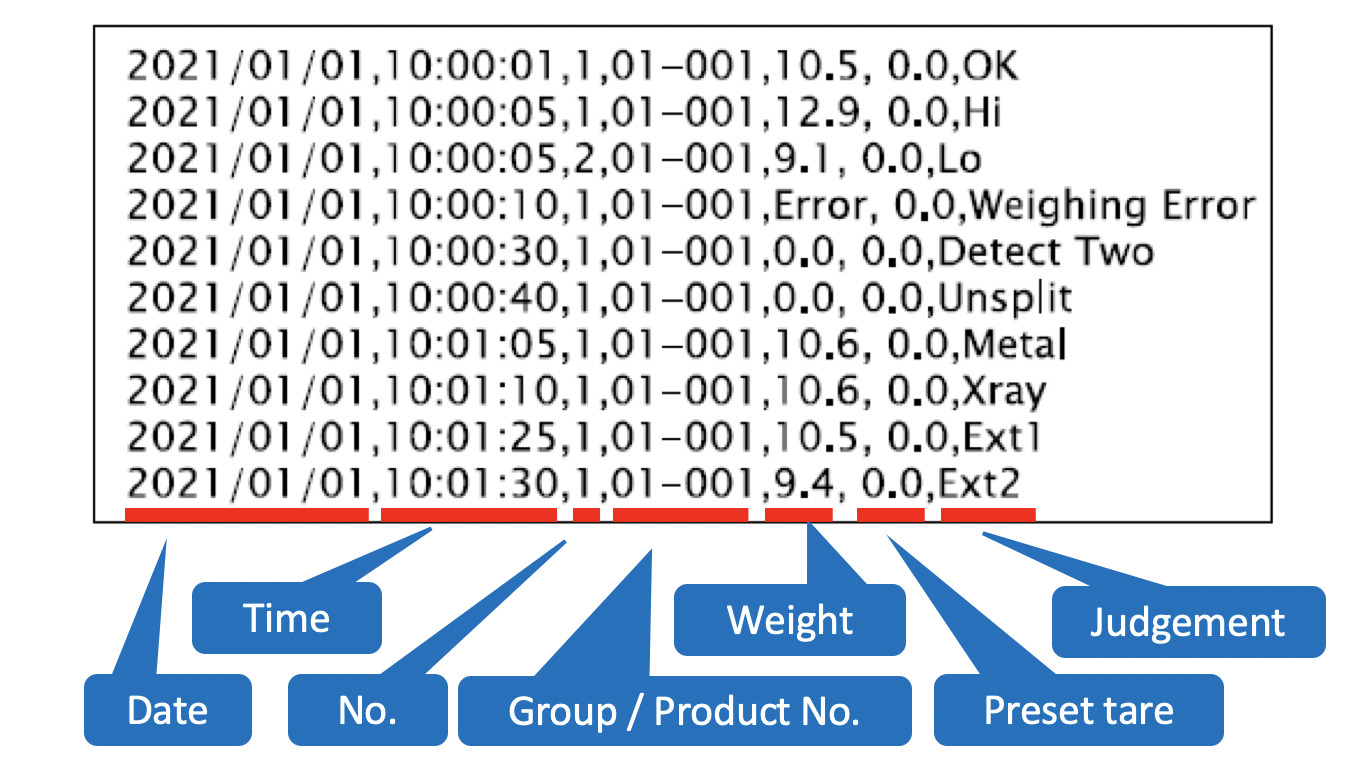 | 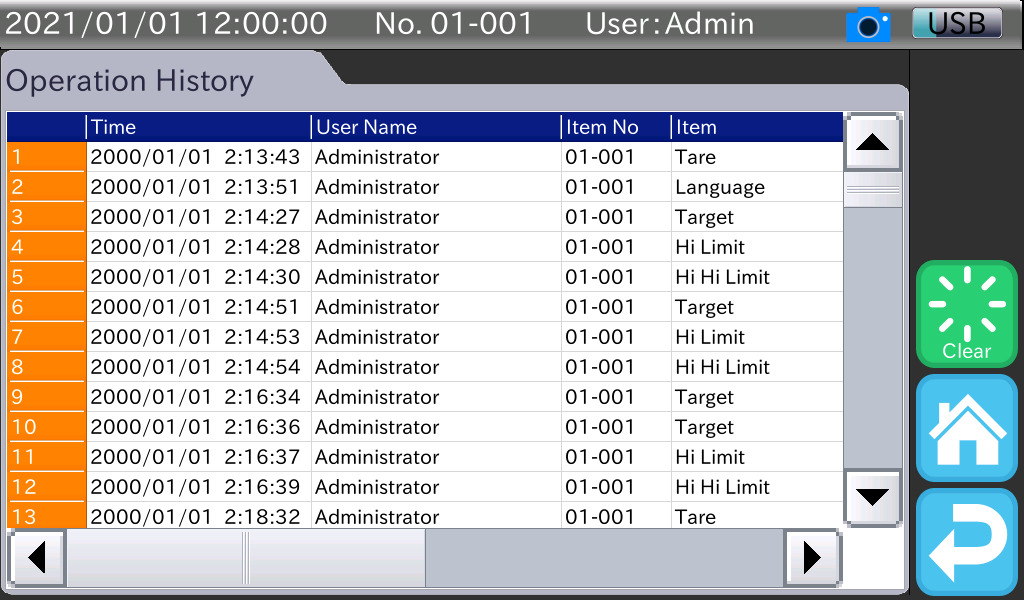 |
| Weighing Result display screen | Example of Weighing Result output in CSV format | Operation History display screen |
Summary, Weight Result, Control Chart and Histogram (PDF or print)
After weighing, press the “PDF” key on the summary display. A PDF report is output to a USB flash drive.
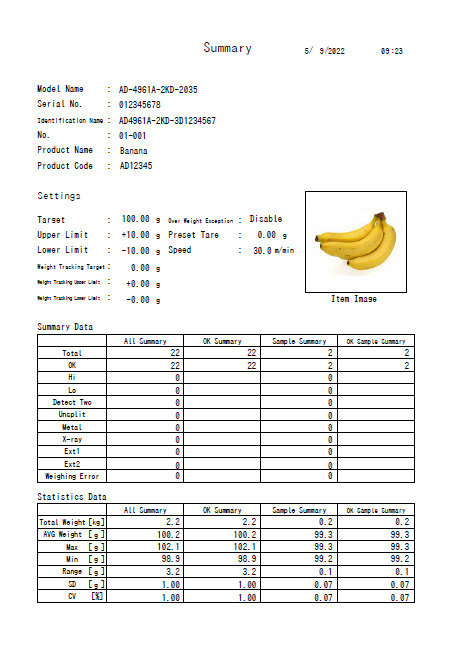 | 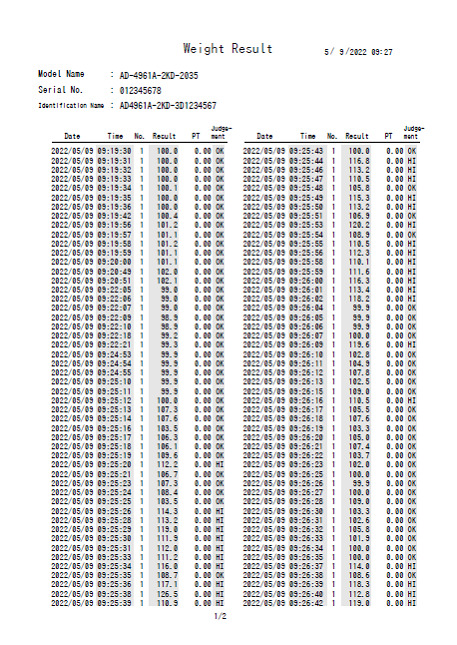 | 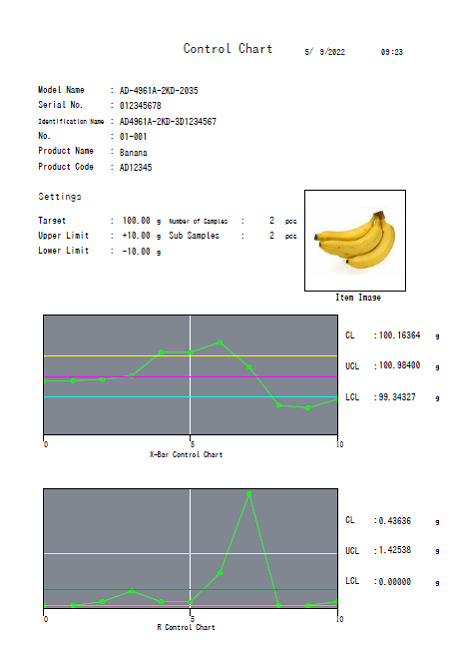 |
| Summary | Weight Result | Control Chart |